
Before you begin
To connect to the NMIFI wireless network, you will need:
- Your NMIT username.
- Your network password.
Username format:
- Students: Preferredname-Lastname
- Staff: Firstname.Lastname
- Open Settings > Wi-Fi on your Android device.
- Select NMIFI from the list of available wireless networks.
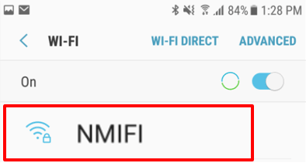
- When prompted, enter the following connection settings (if they are not already selected):
- EAP method: PEAP
- Phase 2 authentication: MSCHAPV2
- CA certificate: Use system certificates, Do not validate, or Do not check (the wording varies by device)
- Identity: Your NMIT username
- Password: Your network password
- Select Connect
Note: Some newer Android devices require different connection settings. If the recommended settings above do not work, try the alternative settings provided by your device or contact the IT Helpdesk for assistance.
Once the connection is successful, your device will be connected to the NMIFI network.
Need help?
If you are unable to connect to the NMIFI network, contact the IT Helpdesk.
- Freephone: 0800 NMIT IT (0800 664 848)
- Email: ServiceDesk@nmit.ac.nz