Connect to NMIT Wireless using an Apple device (iPhones, iMacs or iPads)
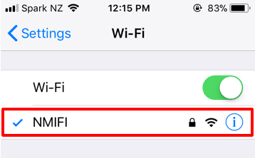
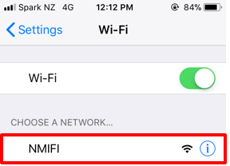
1. First, connect to NMIFI
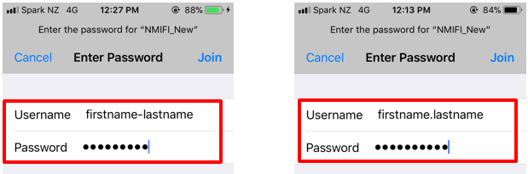
2. NMIT User option will ask you to provide your NMIT Username and your network password to continue.
Format of the username – Student: Preferredname-Lastname | Staff: Firstname.Lastname
3. Correct username password will take you to this step which you will need to Trust the certificate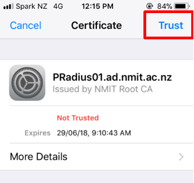
4. Now your device should be connected to the NMIFI network.
If you are unable to connect please contact the IT Helpdesk Freephone 0800 NMIT IT (0800 664 848) or Email: ServiceDesk@nmit.ac.nz