You only need to book tickets for your guests (or ask them to do so via our event page) - you do not need to book tickets for yourself as a graduate.
All guests attending must have been allocated a ticket in advance.
Each graduate can reserve up to three free guest tickets for their graduation ceremony online, and then request to go on the waitlist if they would like further free guest tickets.
You need to reserve your guest tickets by 5 pm, Friday, 20 November.
Reserve up to three guest tickets online:
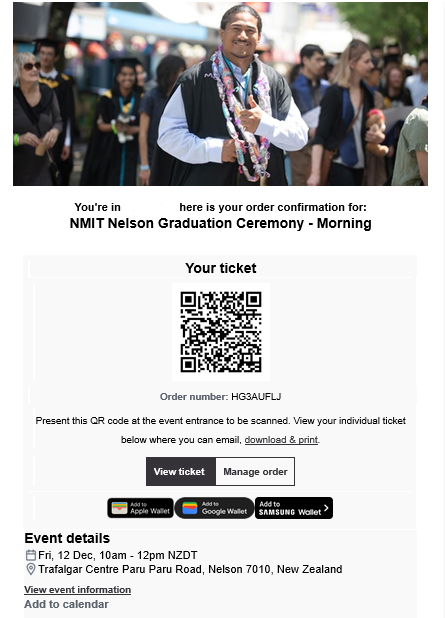
If you have booked guest tickets for a Graduation Ceremony, you should have received a confirmation email from Humantix with your ticket details. This email includes a QR code for entry.
If you have booked tickets but cannot find your confirmation email, please check your spam/junk folder or contact us at learnersuccess@nmit.ac.nz before the ceremony, and we can resend them to you.
What to do on the day
Guests can simply present the confirmation email or QR code on their phones. If they need special assistance, they can look for a NMIT staff member to help or can come to the reception desk - we will be happy to support their questions.
How does my ticket work?
- Select View ticket to see it, and to share it with other guests by email
- Select Manage order to cancel any additional guest tickets if you no longer need them
- There are also options to add it to your phone wallet or to your calendar